The best photo for AI portrait results: 8 tips
How to choose the best photo for AI portrait results: daylight, a face that fills the frame, no sunglasses or filters, and one or two adults.
- Upload size
- Your browser shrinks the photo to 1024 px on the long side before upload
- People per photo
- 1 or 2 adults; groups of 3 or more are not supported
- Minimum age
- 18; photos of children are not accepted
- Light
- Daylight or window light falling on the face
- Angle
- Facing the camera or turned slightly
- Avoid
- Sunglasses, beauty filters, strong backlight, covered or tiny faces
- Free check
- 2 free previews per device per day, about 10 seconds each
- Paid set
- $4.99 for 6 scenes at 1792 × 2400 px
- Photo storage
- Previews not stored; a paid-set photo is deleted after the set is made, at most 72 hours if left before payment
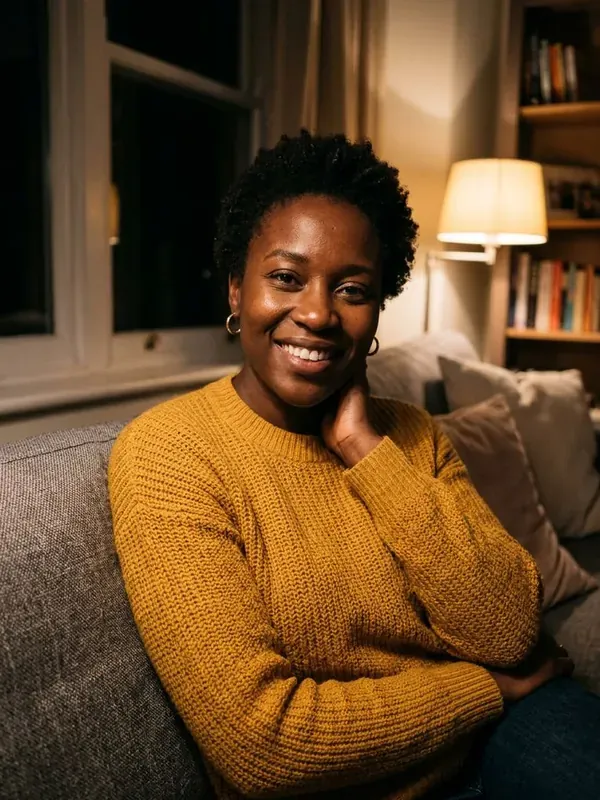
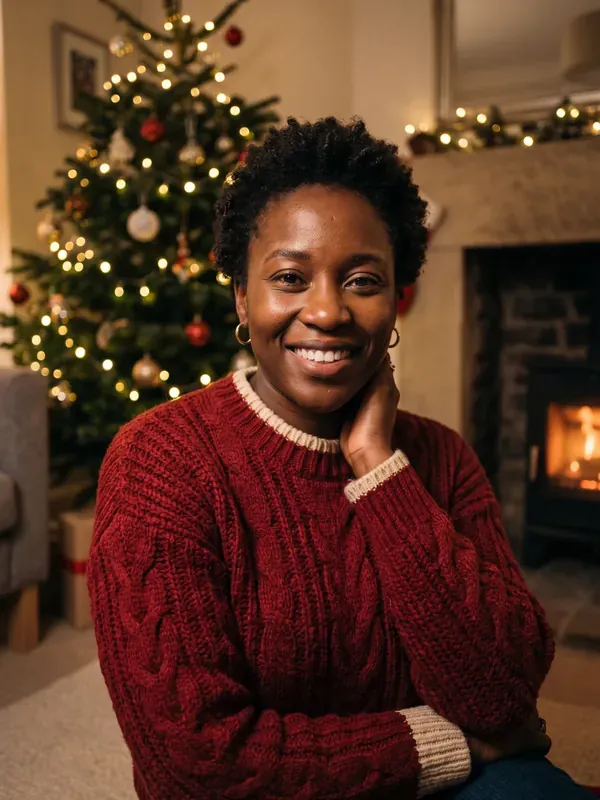
YOUR FREE PREVIEW
Preview: low resolution with a watermark. Your paid portraits are high resolution (1792 × 2400) with no watermark, in all 6 scenes.
What the best photo for AI portrait results looks like
The model can only keep what it can see. Every detail it has to guess, from the line of your jaw to the color of your eyes, is a chance for the portrait to drift away from you. So the best photo for AI portrait results is not the most glamorous one; it is the clearest one.
Before uploading, your browser shrinks the image to 1024 pixels on the long side. That keeps uploads quick, but it also means a face that is small in the frame loses detail fast. The tips below follow from those two facts.
8 tips for the best photo for AI portrait results
- Use daylight. Face a window, or step outside on a bright, overcast day. Even light shows your real skin tone and texture.
- Face the camera, or turn slightly. A straight-on or three-quarter view shows both eyes and the shape of your face. A strong profile hides half of it.
- Let your face fill the frame. Head and shoulders, or waist up, is ideal. If you have to zoom in to see your eyes, the face is too small.
- Take off sunglasses. Eyes carry much of a likeness. Everyday glasses are fine and will be kept; sunglasses hide too much.
- Skip filters and beauty modes. Smoothing, slimming and color filters change your face before the model sees it, and it will faithfully copy the edited version.
- Keep your face uncovered. Hair across the eyes, a hand on the chin, a scarf over the mouth or a deep hat shadow all hide features.
- One or two adults only. Crop out other people. For a couple, stand close so both faces are a good size.
- Do not worry about the background. A messy kitchen or an office wall is fine, because the scene is replaced. A phone selfie works too.
Photos that usually fail
Some photos are hard for any portrait model, and a few are not accepted at all:
- Tiny faces in a group shot. Cropping one face out of a wide party photo leaves too few pixels once the image is shrunk to 1024 pixels.
- Three or more people. Portraits are made for one person or two, so crop to the people you want, as long as their faces stay large enough.
- Children. Photos of anyone under 18 are not accepted, even with a parent in the frame.
- Strong backlight. A bright window or a sunset behind you turns your face into a silhouette.
- Heavy retouching. Face-shaping apps and AI-edited selfies give the model a face that is not quite yours.
- Covered faces. Masks, hands and deep hat shadows hide the features that matter most.
Test your best photo for AI portrait results free
You do not have to guess. Upload a photo in the tool on this page, pick a scene, and the free preview appears in about 10 seconds. Each device gets two previews a day, so you can compare two photos before paying. The preview is low resolution with a watermark, but it is enough to see whether the face, hair and glasses came through.
When a photo passes, the paid set makes six scenes at 1792 × 2400 pixels for $4.99. For two people, read our Christmas couple photo ideas; to see what each setting looks like, browse the AI Christmas portrait scenes.
What happens to the photo you upload
Free previews are not stored: the photo goes to the image model and the preview comes straight back to your browser. For a paid set, the photo is kept encrypted only while your six portraits are made, then deleted; a photo left before payment is deleted after at most 72 hours. We do not identify people or build face templates. Only upload photos of yourself or of another adult who has agreed, and read the privacy policy for the details.
Frequently asked questions
Is a phone selfie good enough?
Yes. Often the best photo for AI portrait results is a daylight selfie with your face filling much of the frame. Hold the phone at eye level and not too close, since a wide lens up close can stretch features.
Should I wear my glasses?
Wear them if you want them in the portraits. The model keeps glasses you are wearing and is told not to add any you are not.