Christmas card photo: choose it, size it, print it
Choose a Christmas card photo that prints well: vertical framing, space for a greeting, enough resolution for a 5×7 card, and when to mail cards.
- Our portrait size
- 1792 × 2400 px, vertical 3:4
- Print size at 300 dpi
- About 6 × 8 inches
- Fits
- Standard 5 × 7 inch flat or folded cards, with room to crop
- What we provide
- Portrait image files only; no card templates or greetings
- Where to finish the card
- Any card design tool or print shop you choose
- Portrait set
- $4.99 for 6 portraits from one photo
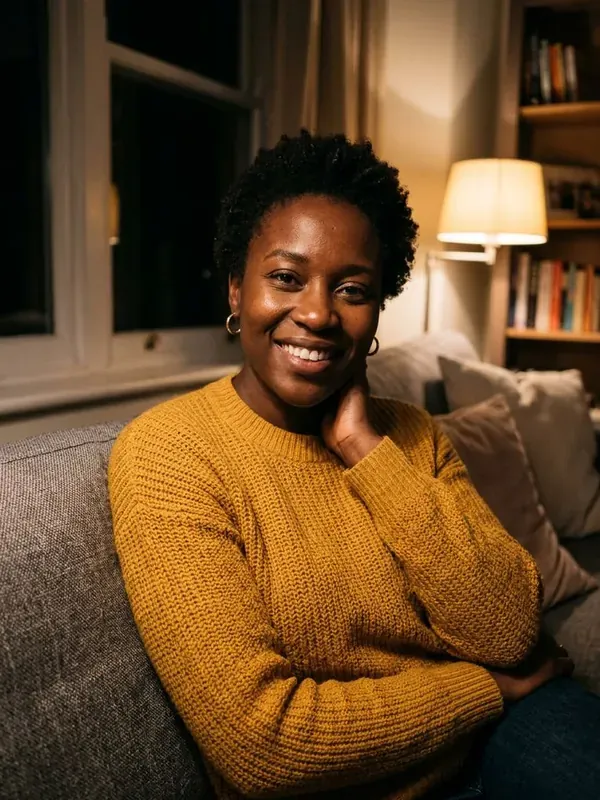
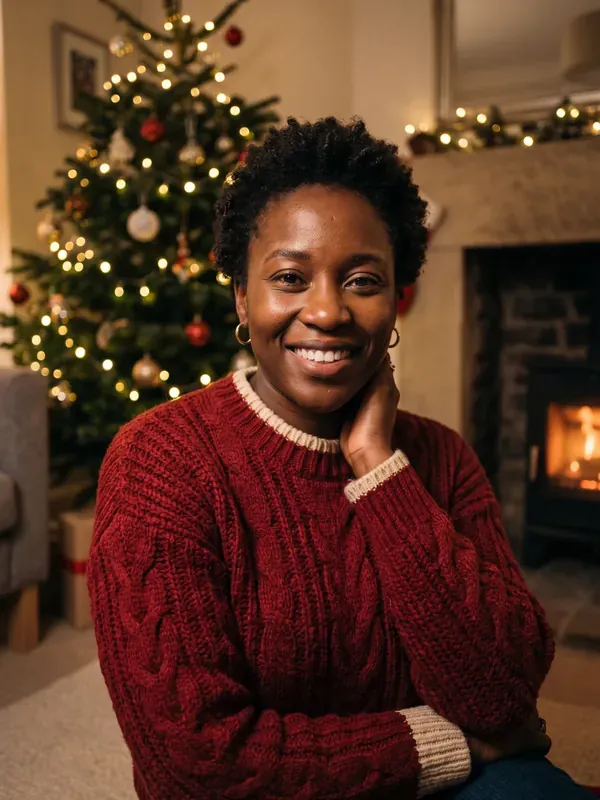
YOUR FREE PREVIEW
Preview: low resolution with a watermark. Your paid portraits are high resolution (1792 × 2400) with no watermark, in all 6 scenes.
What makes a good Christmas card photo
A Christmas card photo is seen small, held at arm’s length or pinned to a fridge next to a dozen other cards. That favors pictures where faces are large in the frame, the subject is clear and the background is simple. Warm light, natural expressions and colors that echo the season matter more than an elaborate set. If you are torn between two shots, pick the one where every pair of eyes is sharp and open.
Frame for the card, not the camera roll
Most photo cards are vertical or have a vertical photo window, so a portrait-oriented 3:4 frame is the safest starting point. Leave some empty space above or below your heads where a greeting, your names and the year can sit without covering a face. A plain wall, a dark backdrop or blurred lights work well behind text.
If your card layout is horizontal, crop from the middle of a vertical image instead of stretching it. Check the crop on the card preview, not just on your phone, since card templates often trim the edges.
Christmas card photo size and resolution
Print shops commonly ask for 300 dots per inch for sharp results. Divide each side of the image in pixels by 300 to see how large it will print well. Our portraits are 1792 × 2400 pixels, which at 300 dpi comes to about 6 × 8 inches, enough for a 5 × 7 card with room to spare. Phone photos usually start larger, but check after cropping: a tight crop from a wide shot can fall below what a 5 × 7 card needs.
Upload the original file rather than a screenshot or a copy saved from a messaging app, since both shrink the image. JPEG or PNG is fine. Go easy on filters, which can turn skin orange once printed.
Using an AI portrait as your Christmas card photo
If you do not have a festive picture this year, you can make one from an everyday photo. Upload a clear photo of yourself, or of you and another adult, in the tool on this page and preview a scene free. The paid set costs $4.99 and gives you six high-resolution portraits, including a Classic studio scene with a dark evergreen background that leaves natural space for text.
We make the portraits only; we do not design cards or add greetings. Download the portrait you like from your gallery, then place it in any card design tool or send it to a print shop. If you share the card online, mention that the portrait was made with AI.
When to mail your cards
For cards sent within the US, many people aim to mail them in early December so they arrive before Christmas, and earlier still for addresses abroad. Work backward from that date: order prints a week or two ahead, and settle on your Christmas card photo by Thanksgiving if you can. Postal timing varies by year and destination, so check your carrier’s holiday shipping dates.
Frequently asked questions
Do you make the Christmas card itself?
No. We provide the portraits as image files. You add the greeting and layout in the card service or print shop of your choice.
Is a 1792 × 2400 portrait big enough to print?
Yes, for most cards. At 300 dpi it prints at about 6 × 8 inches, which covers a standard 5 × 7 card.